Decimal Converter: Your Guide to Different Number Languages
Created on 6 October, 2025 • Converter Tools • 156 views • 2 minutes read
Instantly convert decimal numbers to binary, hexadecimal, and octal, and back. Our free Decimal Converter is an essential tool for programmers and students.
We count using ten digits (0-9). This is the decimal, or "base-10," system. But computers speak in different numerical languages, like Binary (base-2) or Hexadecimal (base-16). How do we translate numbers between these different systems?
A Decimal Converter is your multilingual interpreter for numbers.
What is a Decimal Converter? (A Simple Analogy)
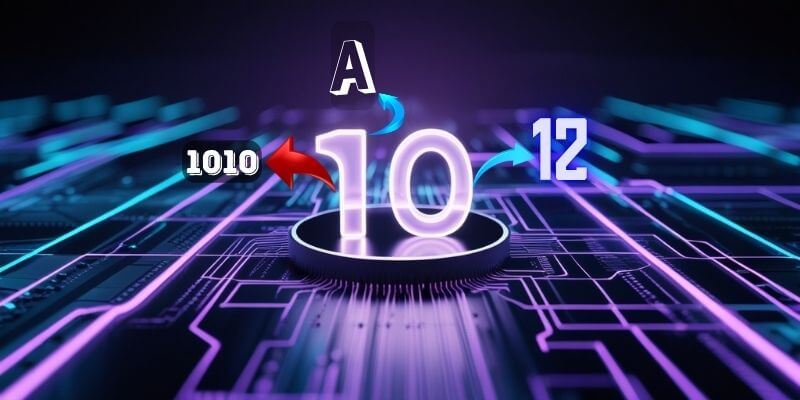
Imagine you have a number, like "10".
- Decimal (Base-10): This is our "native language" for numbers.
- Binary (Base-2): This is the computer's native language. "10" is written as 1010.
- Hexadecimal (Base-16): This is the programmer's shorthand. "10" is written as A.
- Octal (Base-8): Another computer dialect. "10" is written as 12.
A Decimal Converter is like a universal translator for numbers. 🔟🔄🔠
You give it a number in any of these languages, and it instantly tells you how to "say" that same value in all the others, ensuring the mathematical meaning is perfectly preserved.
How to Use Our Decimal Converter Tool
Translating numbers between bases is simple:
- Step 1: Enter a number in the "Decimal" box. The tool will instantly convert it to Binary, Hex, and Octal.
- Step 2: Or, enter a number in the Binary, Hex, or Octal box, and it will be converted back to Decimal.
If you need it, click this link>>> Decimal Converter Tool
Why is This So Useful? Key Benefits
- ✅ Essential for Programmers: A fundamental tool for anyone working in computer science, software development, or electronics, where different number bases are used constantly.
- ✅ Educational Tool: The best way to learn and practice converting between Decimal, Binary, Hex, and Octal for students.
- ✅ Quick Calculations: Save time and avoid manual calculation errors when you need a quick conversion.
- ✅ Understand Computer Logic: Provides a clear window into how computers store and manipulate numerical values.
Decimal Conversion in Action: Real-World Scenarios
1. The Web Designer and Colors A designer knows that pure red in the RGB system is rgb(255, 0, 0). They use a Decimal to Hex converter to see that the decimal number 255 is FF in hexadecimal. This helps them understand why the HEX code for red is #FF0000.
2. The Computer Science Student A student is learning about IP addresses and subnet masks. They use the converter to translate the decimal numbers in an IP address (like 192) into their 8-digit binary equivalents (11000000) to better understand the underlying network logic.
Decoding the Data: Understanding Number Bases
- Decimal (Base-10): The system we use every day. It has 10 digits (0, 1, 2, 3, 4, 5, 6, 7, 8, 9).
- Binary (Base-2): The computer's language. It has only 2 digits (0, 1).
- Hexadecimal (Base-16): A programmer's shorthand. It has 16 digits (0-9 and A-F).
- Octal (Base-8): An older system, less common now but still used in some contexts. It has 8 digits (0-7).
Conclusion
Different number systems are just different languages for expressing the same values. Our Decimal Converter is an indispensable tool that acts as your instant interpreter, allowing you to seamlessly translate numbers between the human world of base-10 and the computer world of other bases.
Need to translate a number? Try our free Decimal Converter today!